

In a time when being visible online can greatly affect job opportunities, knowing about Search Engine Optimization (SEO) is becoming more important.
Whether the goal is securing a fancy internship, attracting new clients for a freelance venture, or simply ensuring that your professional profile stands out, initial searches often begin online.
This is where SEO comes into play; by acting as the perfect blend of art and science that almost guarantees a strong digital presence.
But few people truly understand how search engines function. In this article, I’ll explain the key elements of Search Engine Optimization that are essential for anyone looking to build their online presence.
How Do Search Engines Work?
Have you ever thought about how search engines quickly find the information you need? This impressive process happens in three simple steps:
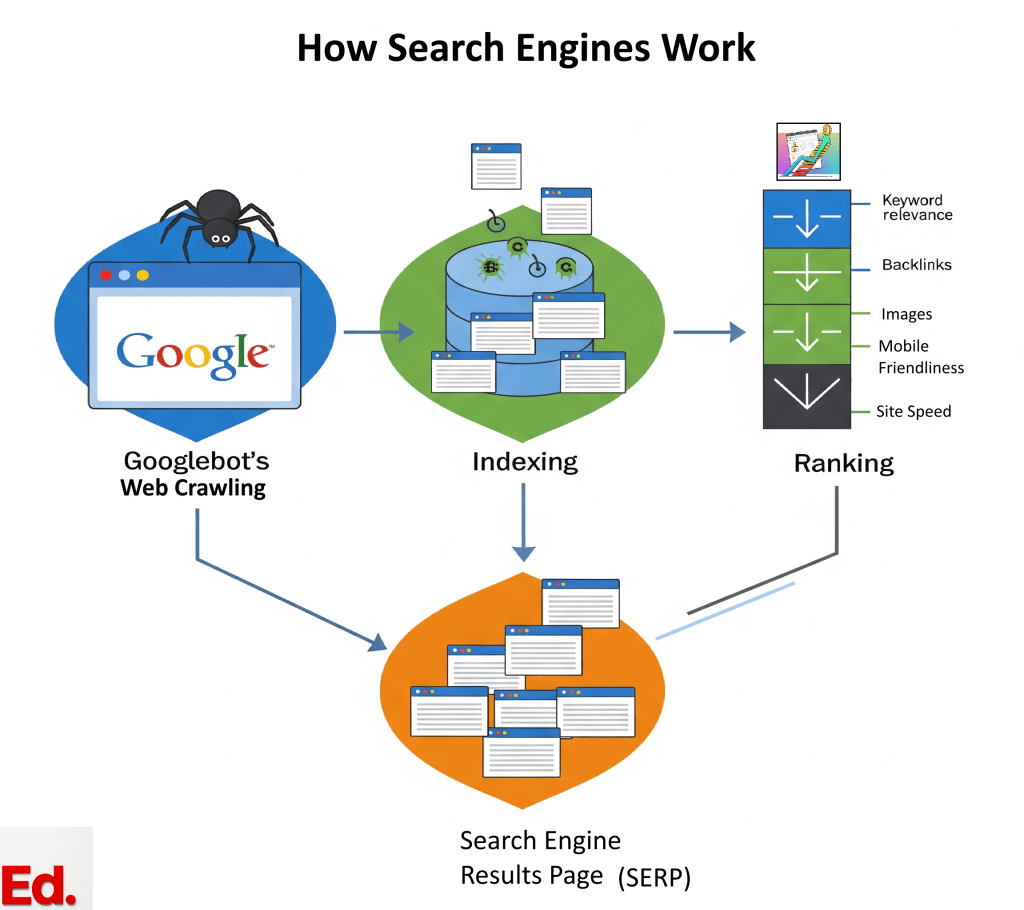
1. Crawling
There are millions of automated programs, often referred to as “web crawlers” or “spiders,” tirelessly exploring the boundless space of the internet.
Their main goal is to find new and updated content – text, images, videos, and more—by carefully following links from one page to another.
These digital detectives are like Indiana Jones embarking on adventures to find hidden treasures in every corner and crevice of the web.
Once they’ve discovered a page that offers content that they deem valuable, they store it in a library, called an Index.
2. Indexing
After exploring a page (crawling), search engines analyse the content to understand its subject matter, they categorize it, and then store this information in an massive, highly organized digital storage known as an “index.”
This index essentially functions as the search engine’s memory bank, housing billions of web pages readily available for immediate use.
3. Ranking
When someone enters a search query, search engines don’t just show random pages.
They use complex algorithms to carefully sort through their content library and show the most relevant results quickly. This is where online visibility is directly affected.
What is an Algorithm?
An algorithm is a step by step instruction that search engines have to follow in order to complete a certain task.
Their job is to break down complex problems into doable lists of actions that can then be achieved.
Think of it as the process of getting ready for work in the morning. You would have to wake up, brush your teeth, shower, dry yourself, put some clothes on, (hopefully) eat breakfast, etc.
And if you took those steps (in that particular order) you would certainly reach your goal of getting to work early enough for that important 9 o’clock meeting you’ve been dreading all week long!
Algorithms strive to understand the intent of every search, even if it is phrased slightly different.
For example, whether you search for “change laptop brightness” or “adjust laptop brightness,” the system gets the related intent behind both phrases and returns similar results.

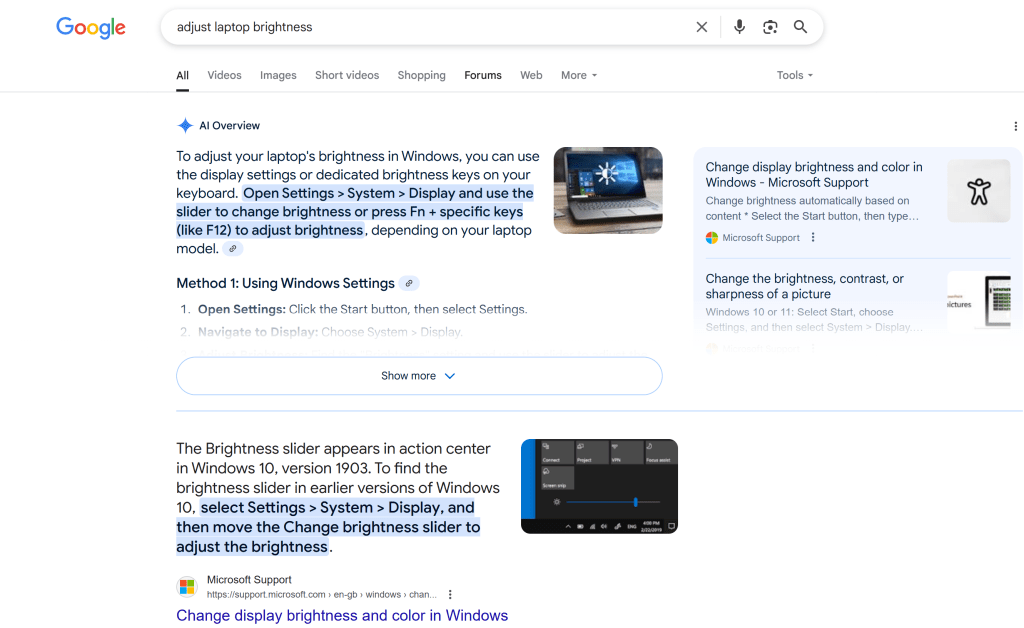
It will also attempt to make out the type of information desired; so a query containing “cooking” or “pictures” might lead to recipes or images, respectively.


The Nature Of Search Visibility
Think of SEO as the construction of a majestic tower that is admired by everyone.
To build one, a solid foundation (Technical SEO) is called for, followed by a visually appealing and well-structured exterior (On-Page SEO), and finally, a strong reputation within the neighbouring community (Off-Page SEO).
All three dimensions must be in place in order for the tower to stand tall and attract a steady stream of visitors.
This hierarchical and interconnected nature of SEO is important to understand for anyone who’s just started learning, because if search engines can’t access a website, efforts in creating content or building links won’t work.
Ignoring basic elements like technical access to your pages can make other efforts useless.
In other words, if you were a professional building an online presence, you must first make sure your personal website works well before spending a lot of time on content or outreach.
The Heart Of A Website (Technical SEO)
Without a strong technical foundation, even the best content may be overlooked, as search engines can’t crawl your site, index it, and therefore, display it in search results.
Factors like page load speed are important in the context of technical seo, as they affect how users engage with and view your website.
“Not only are users expecting to see results quickly…and become disappointed when they don’t, but page speed also immediately affects their professional opinion of you.”
Diona Kidd, managing partner at Knowmad Digital Marketing,
Page load speed or mobile-friendliness, are not merely a convenience of users, they are crucial ranking factors that can boost organic traffic.
Pages that take an extended time to load often lead to user abandonment, impacting both user experience and search engine perception.
One key strategy to reduce page load speed is by compressing images and minimizing unnecessary third-party scripts.
Given that the majority of internet browsing occurs on mobile devices, a website must also function and appear flawlessly across all mobile platforms.
Google’s mobile-first indexing approach means that the mobile version of content is primarily used for ranking purposes.
Nailing the Right Keywords
Keywords form the very bedrock of SEO. They are the specific words and phrases individuals input into search engines when seeking information—whether it’s “best vegan restaurants in Brooklyn” or “entry-level data analyst jobs.”
The importance of keywords lies in their ability to create a direct connection with an audience. As a content creator, you need to understand the kinds of words used by your consumers to describe your products or services.
By understanding the precise language used by your audience, you can tailor your content to align with their search queries, and thereby help search engines in presenting your useful product or information with those who actually need it.
There are two main types of keywords to consider when doing keyword research.
Short-tail vs. Long-tail
Short-tail keywords are broad, general terms (e.g., “marketing jobs,” “photography”). While they boast high search volume, they also face intense competition. Attempting to rank for such terms is akin to competing for attention with global superstars.
Long-tail keywords are more specific, often longer phrases (e.g., “entry-level digital marketing jobs remote,” “freelance portrait photographer for graduation”).
Individually, they may have lower search volume, but they hold significantly higher user intent. This means people searching for long-tail keywords typically have a clear idea of what they seek.
Long-tail keywords have a strategic advantage, because they target a niche audience with considerably less competition.
So instead of trying to rank for broad terms, target specific, high-intent phrases to gain initial visibility in less competitive, relevant niches.
This strategy builds momentum and attracts the right visitors to your site.
How to Find Useful Keywords
Begin by brainstorming terms that describe your skills, services, or content. Consider what you might search for to find your own website.
Reflect on the problems your content or services solve.
Here are a few services that I would recommend using, as a free yet highly effective option for finding useful keywords:
1.) Google’s Suggestions
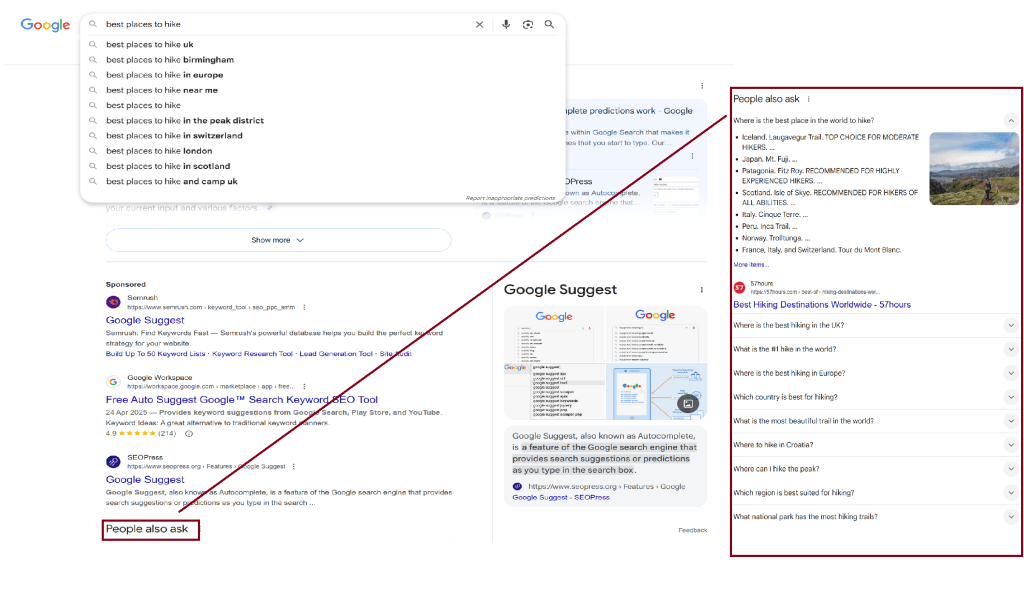
Try typing your product or similar offerings into Google, and then observe the suggested terms that appear.
These are genuine searches that have been done by real users. They offer a good starting point for finding out the type of words used to search for your content.
Another good place to look, is the “People also ask” section on search results pages:
2.) Competitor Analysis (ethically!)
Browse the websites of professionals in similar roles or industries.
Pay attention to the terms they use in their page titles, headings, and content.
This can provide valuable insights into keywords that are already effective within your specific niche.
3.) Online communities
Engaging with forums such as Reddit or Quora can be a goldmine for long-tail keywords.
Observe the questions people are asking and the pain points they discuss.
Ask Yourself: What are people really looking for?
Every search query has a specific purpose, known as search intent. Understanding this intent is the key for making content that truly connects with your audience.
- Informational Intent: The user seeks to learn something (e.g., “how to make a latte,” “what is SEO”).
- Navigational Intent: The user is attempting to locate a specific website or brand (e.g., “LinkedIn login,” “Squarespace templates”).
- Transactional Intent: The user is ready to make a purchase or take a specific action (e.g., “buy handmade leather wallet,” “hire freelance graphic designer”).

Aligning your content with the user’s intent is important because it ensures the attraction of the right visitors—those who are genuinely seeking what you’re offering.
For instance, when optimizing a LinkedIn profile, it is not enough to simply list skills; those skills should be framed in terms of the solutions or information a potential employer or client is intending to find.
If a recruiter has a “transactional intent” (e.g., “hire junior software developer”), your profile should clearly highlight projects and achievements that directly fulfil that need.
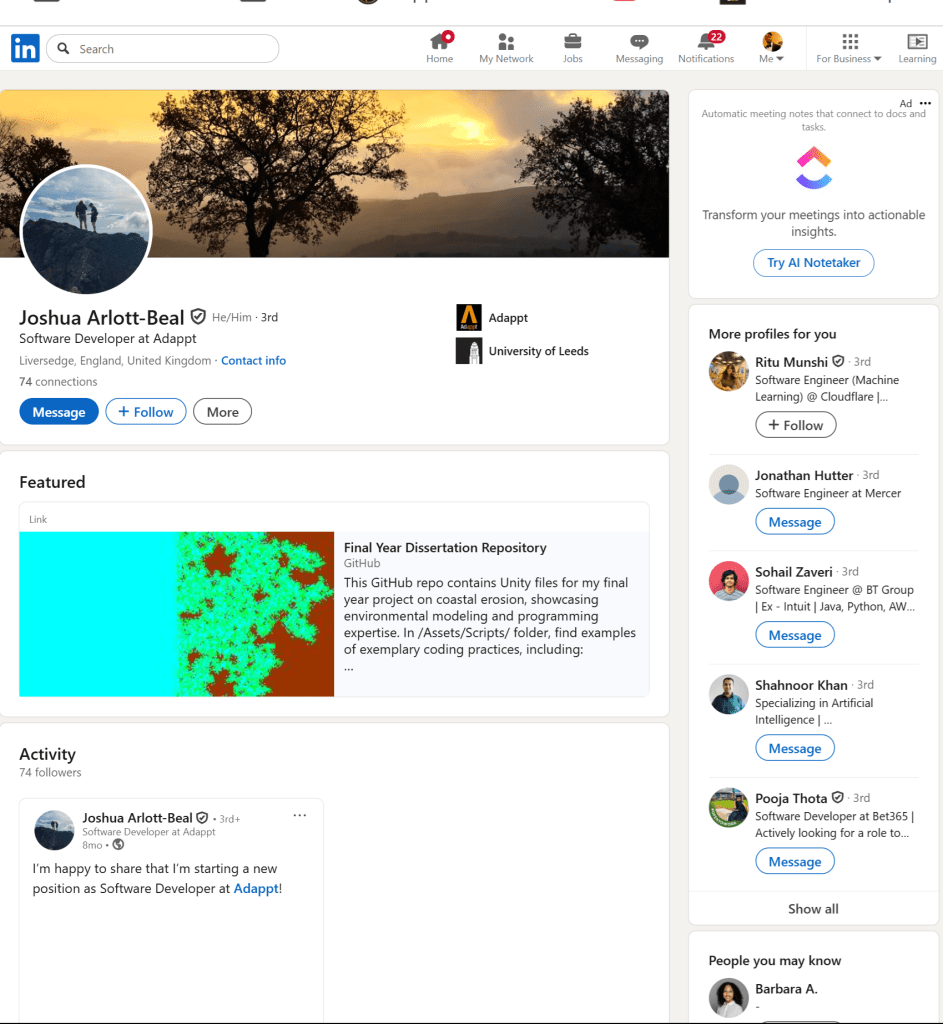
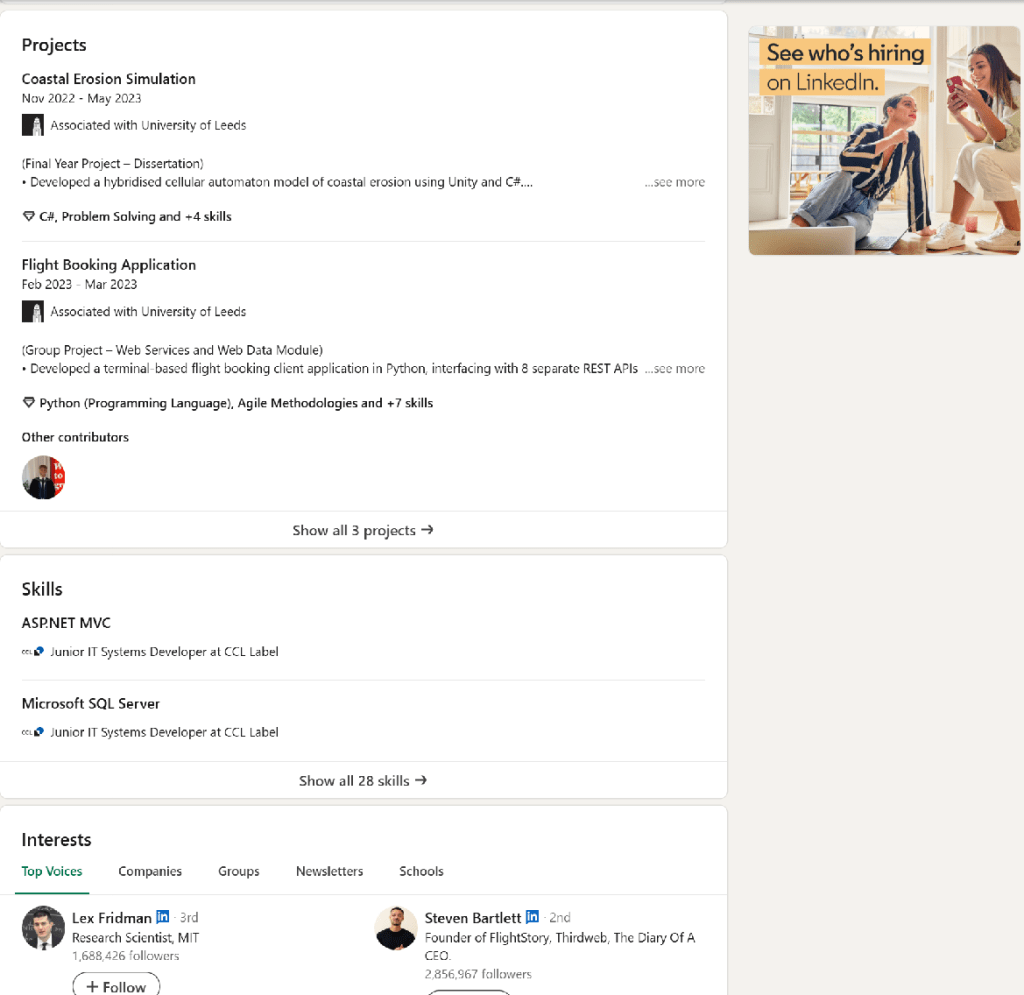
As you can see, keyword research is more than a purely technical task but also a strategic content planning exercise.
Pimp My Website! (On Page SEO)
On-Page SEO is about the changes made directly on webpages, – like content, images, and headlines, which help search engines and visitors understand the page’s topic and value.
This means creating good quality content that are informative, engaging, well-written, and directly address your audiences’ needs.
What Makes Good Quality Content?
Good quality content are contents that offer unique value beyond merely regurgitating existing information.
In other words, they present fresh perspectives, original research, new data, or a fresh, more effective approach to a topic.
Basically, you should be giving readers a compelling reason to choose your content over others.
Lengthy blocks of text can discourage readers from fully consuming your content. Breaking up content into shorter paragraphs, using bullet points, and bolding or italicizing key information significantly improves readability.
This makes content easier to skim and digest, encouraging readers to remain engaged for longer periods.
The readability of content directly contributes to SEO by influencing user experience signals.
If users find content challenging to read (e.g., due to long paragraphs or a lack of headings), they are more likely to “bounce” (leave the page quickly).
This will have a knock on effect on your rankings, as high bounce rates and low time-on-page metrics signal to search engines that the content may not be good-quality or relevant, which can negatively impact rankings.
Image Optimization
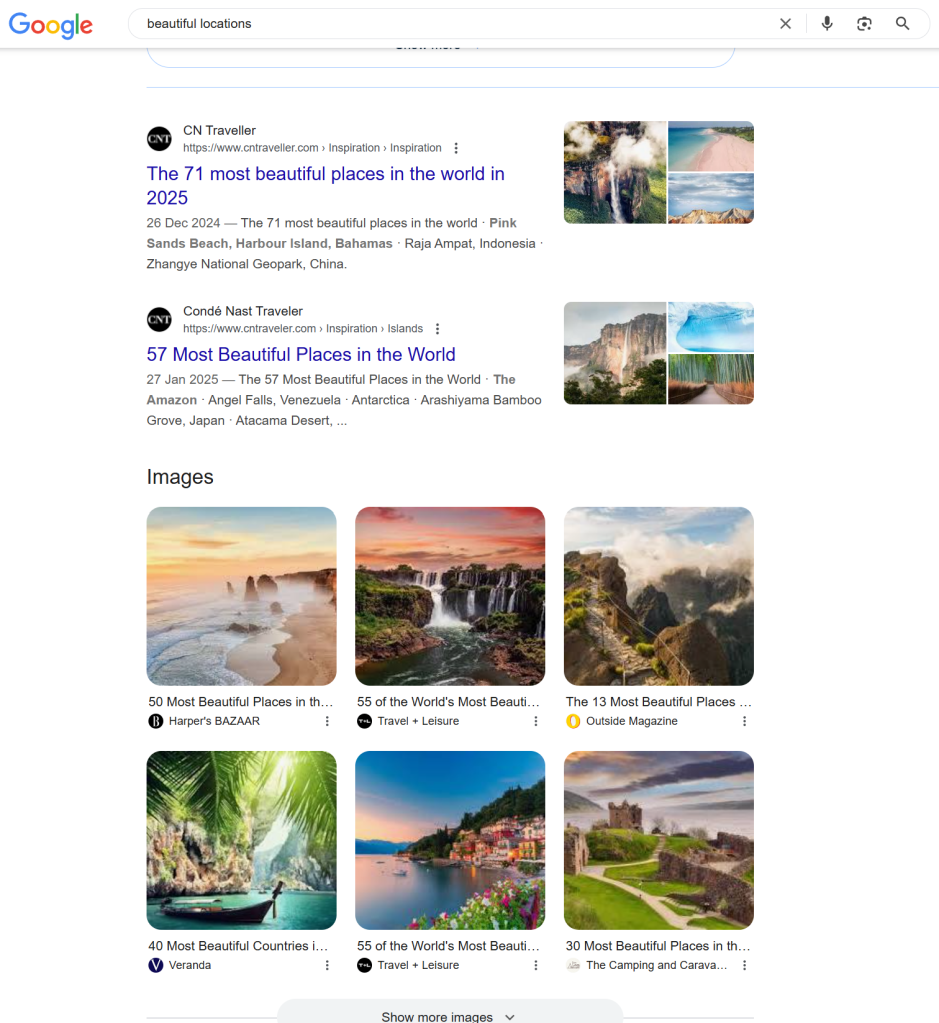
Images are great for breaking up text into visually digestible bits that can be easily understood.
But be careful when choosing images to use for your page, as they can be troublesome if not used properly.
Large image files can cause slow page loading and make users leave your site.
If you notice that your pages are taking too long to load (2.5 seconds or more) try using JPEG Optimizer or TinyPNG. These free tools are great for reducing file sizes effectively.
Fish For Compliments (Off Page SEO)
While On-Page SEO involves elements within a website, off-page SEO is about building a positive reputation online, with external activities that influence rankings.
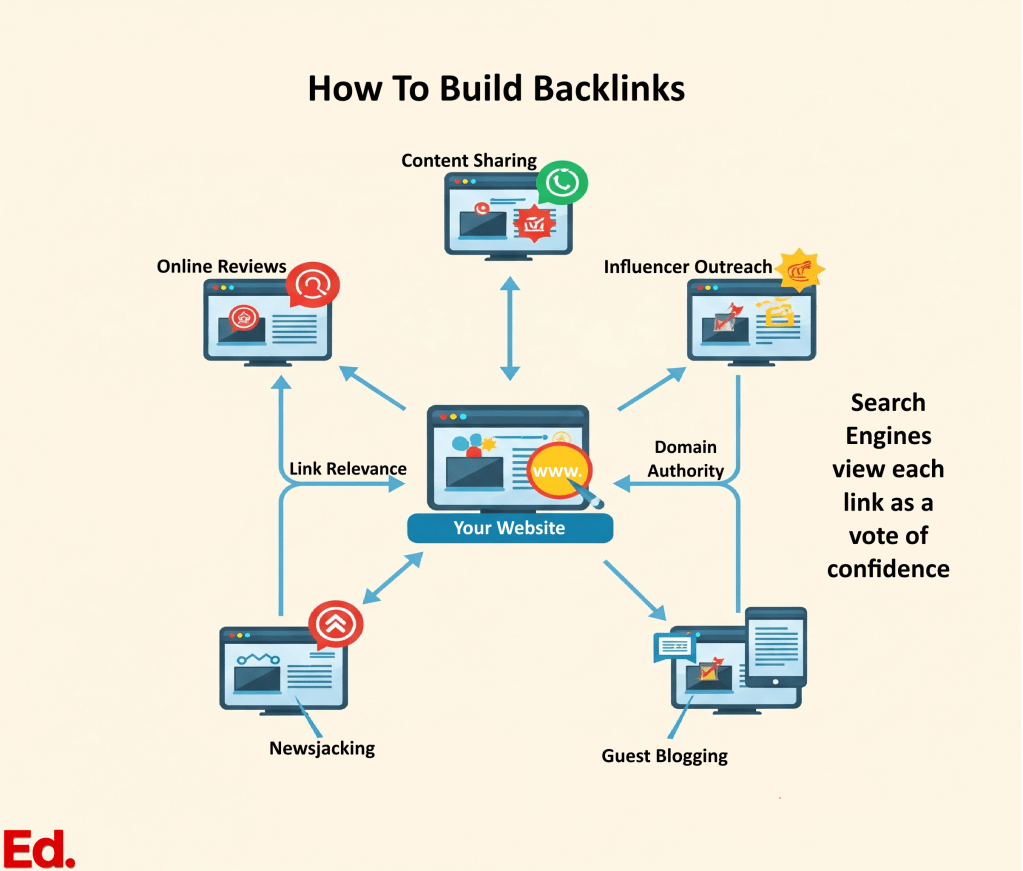
Backlinks are one way to build a positive reputation for your site. Often regarded as the internet’s “Vote of Confidence”, a backlink is simply a link from another website that points to your own.
The greater the number of high-quality, relevant backlinks, the more authoritative and trustworthy your site appears in the eyes of a search engine.
You shouldn’t merely focus on acquiring any links, but on securing them from authoritative, relevant, and trustworthy sources.
A single link from a reputable industry publication holds significantly more value than numerous links from low-quality or spammy blogs.
How do I earn backlinks?
Building backlinks involves creating genuinely valuable, shareable content that others naturally desire to link to.
This can be through guest blogging on reputable sites within your niche or actively engaging on social media to promote your content and sharing.
Online Reviews
Positive reviews on platforms like Google My Business (for local businesses) or industry-specific review sites build trust with an audience and can influence purchasing decisions.
They also send positive brand signals to search engines.
Guest Blogging & Influencer Marketing
Contributing articles to other reputable blogs or collaborating with influencers in your field can build exposure, authority, and earn valuable links.
Forums & Online Communities
Platforms such as Quora and Reddit offer opportunities to engage in conversations, share knowledge, and build trust within niche communities.
Digital PR
Securing features for your name or content in online publications, news sites, or industry roundups can drive referral traffic and enhance brand awareness.
Social Media
Although social shares are not a direct ranking factor, social media platforms serve as powerful amplification tools.
They facilitate reaching potential clients, engaging with an audience, and driving traffic to content, which can indirectly lead to backlinks and enhanced visibility.
These off-page SEO activities create a smart way to build connections and manage your digital reputation. They lead to clear strategies for personal branding and career growth.
This includes actively cultivating a professional network, seeking recommendations on platforms like LinkedIn, contributing expert opinions to industry blogs, engaging in relevant online communities, and consciously managing your online reputation (e.g., requesting testimonials, ensuring consistent information across various digital platforms).
SEO As A Career Boosting Tool
A LinkedIn profile functions as a professional’s online resume, often serving as the initial point of contact for recruiters and hiring managers.
Optimizing it for search significantly increases the likelihood of being discovered for relevant opportunities. Keywords are essential here!
Think like a recruiter and imagine the terms would they use to find someone with specific skills or experience?
Adding these keywords naturally into the profile’s headline, “About” section, experience descriptions, and skills section could be the difference between securing a job or being lost in a pile!
For example, changing a vague “Creative Person” to “Graphic Designer | Brand Strategist | UI/UX Enthusiast” makes a profile much easier to find in a pool of hundreds of accounts.
But optimizing the LinkedIn profile for search means more than just adding keywords in the “About” section, highlighting your achievements or listing duties.
To become a magnet for personal branding, you have to engage with the platform consistently, connect with relevant professionals, and even consider adding structured data (schema) to a personal website that links to LinkedIn. All these things can help search engines understand your professional value!
This approach to personal branding is no different from a small-scale SEO campaign. The contexts might not be same but the tactics are similar:
- Using careful word selection (keywords) to improve a LinkedIn profile
- Arranging profile sections thoughtfully (similar to on-page optimization)
- Networking strategies (like off-page link building)
For designers, photographers, writers, and artists, you can use SEO as a modifier of your digital showcase by attracting the right clients and collaborators.
Deconstructing SEO Buzzwords
Some SEO professionals like to use fancy lingo that make learning sometimes feel like you’re acquiring a new language. This mini-glossary is a quick reference for common terms, making your SEO learning journey easier.
| SEO Term | What It Means (in plain English!) |
| Alt Text | A text description of an image on a site, embedded in the backend. It helps search engines understand images and aids accessibility for screen readers. |
| Anchor Text | The visible, clickable words in a hyperlink. |
| Authority | A website or page’s credibility and ability to rank high in search results, often influenced by backlinks and content quality. |
| Backlink | A link from another website to one’s own. It is considered a “vote of confidence” from the linking site. |
| Bots (Web Crawlers/Spiders) | Automated programs utilized by search engines to discover and scan web pages. |
| Canonical URL | The “preferred” or original web address for a piece of content, used when similar content exists on multiple URLs to avoid duplication issues. |
| Crawling | The process by which search engines discover web pages by following links across the internet. |
| CSS (Cascading Style Sheets) | Code that dictates the visual appearance of a website, including fonts, colors, and layout. |
| Domain | The primary web address of a site (e.g., www.yourwebsite.com). |
| External Link | A link from one’s website to a page on a different website. |
| Heading (H1, H2, H3) | Text on a website contained within HTML heading tags, used to structure content and signal importance to both readers and search engines. |
| HTML (Hypertext Markup Language) | The standard coding language used to create web pages. |
| Indexed Pages | Pages on a website that have been stored and organized within a search engine’s database. |
| Indexing | The process of analyzing and storing discovered content within a search engine’s database. |
| Internal Link | A link from one page on a website to another page within the same website. |
| Keyword | A word or phrase that individuals use when searching for information online. |
| Long-tail Keyword | A longer, more specific search phrase (typically three or more words) characterized by lower competition and higher user intent. |
| Meta Description | A concise summary of a web page (usually 155-160 characters) that appears beneath the title in search results. |
| Metadata | Data embedded in a page’s HTML code that provides information about the page to search engines. |
| Nofollow | A tag that instructs search engines not to pass SEO credit or “link juice” to a linked page. |
| Off-Page SEO | SEO activities conducted outside one’s website to improve its ranking, such as building backlinks and securing brand mentions. |
| On-Page SEO | SEO activities performed on one’s website pages, including optimizing content, titles, and images. |
| Page Title | The main title of a specific web page, displayed in browser tabs and search results. |
| Ranking Factors | The various elements that search engines consider when determining a page’s position in search results for a specific query. |
| Robots.txt | A small file that instructs crawlers which parts of a site they should not access (e.g., administrative pages). |
| Search Query | The words or phrases typed into a search engine by a user. |
| Search Volume | The estimated number of times a keyword is searched per month. |
| Security(HTTPS) | Ensuring a website uses HTTPS (indicated by the padlock icon in the browser bar) is both a ranking factor and a critical element for building user trust. |
| SERP (Search Engine Results Page) | The page displaying results after a search query is entered. |
| Site Architecture | The overall organization and linking structure of all pages on a website. |
| Sitemap (XML) | A file listing all important pages on a website, submitted to search engines to facilitate efficient crawling and indexing. |
| Structured Data (Schema Markup) | Code added to a website to help search engines better understand content, often enabling the display of “rich snippets” in search results. |
| Technical SEO | The process of optimizing the technical aspects of a website (e.g., speed, mobile-friendliness, crawlability) to improve search engine rankings. |
| Traffic | The number of visitors to a website. |
| URL | The web address of a specific page on a site. |
| User Experience (UX) | The overall quality of a user’s interaction with a website, encompassing ease of use, speed, and design. |
Discover more from Deconstruct Ed.
Subscribe to get the latest posts sent to your email.

