

Ever wondered how Google magically conjures up the perfect answers to your queries in milliseconds?
It’s not magic—it’s just some super smart, always-changing algorithms working together like a well-oiled machine.
Their main goal is to link you up with the best and most reliable sources of information out there on the internet.
How they do this? Well, nobody knows for sure! (Except Google)
What we do know is that the whole thing involves a process of crawling the web, indexing content, processing queries, ranking results, and then showing you what you asked!
In this guide, I’ll break down some of the key ideas and important parts of Google’s algorithm that influence what pops up in your search results.
What Is Google Search?
This is a search engine that runs on clever software called web crawlers, with the main one being Googlebot.
These crawlers go all over the web, finding new and updated pages to add to Google’s huge index.
Every day, Google handles more than 8.5 billion searches, which really shows off how fast and scalable it is.
The whole thing is runs on some heavy tech, using:
- distributed computing
- advanced web crawling tricks
- detailed indexing
- complex ranking algorithms, and AI
The setup behind Google Search is spread out all over the globe, with data centers placed in various locations to keep things quick for users.

This system uses a technique called index sharding, whereby the huge database is broken into chunks across several servers. This makes it possible for it to handle all that massive data efficiently.
Google’s Search index is often called “the world’s biggest library,” and it’s not just because of how big it is….it’s also highly dynamic.
Think about it: organizing and keeping up with all that information from “hundreds of billions of webpages” is no small feat!
The huge scale of it all, along with the never-ending stream of new and updated content, really calls for some cutting-edge, distributed computing power and a solid dose of artificial intelligence and machine learning.
Models like BERT, RankBrain, and MUM are the key pieces that help Google keep up with and make sense of all the information.
We will get to those later…
1. Crawling
Google Search starts with crawling, which is basically the process of finding web pages.
The whole process of crawling is done automatically by some nifty software programs called web crawlers…with Googlebot being the main one.
What Is Googlebot?
Googlebot is like a digital spider that crawls the internet, looking for new and updated pages to add to Google’s index.
It discovers pages in two ways:
- By following links on pages it already knows about (like when Googlebot finds a link from a category page to a new blog post)
- By checking out sitemaps that website owners have turned in.
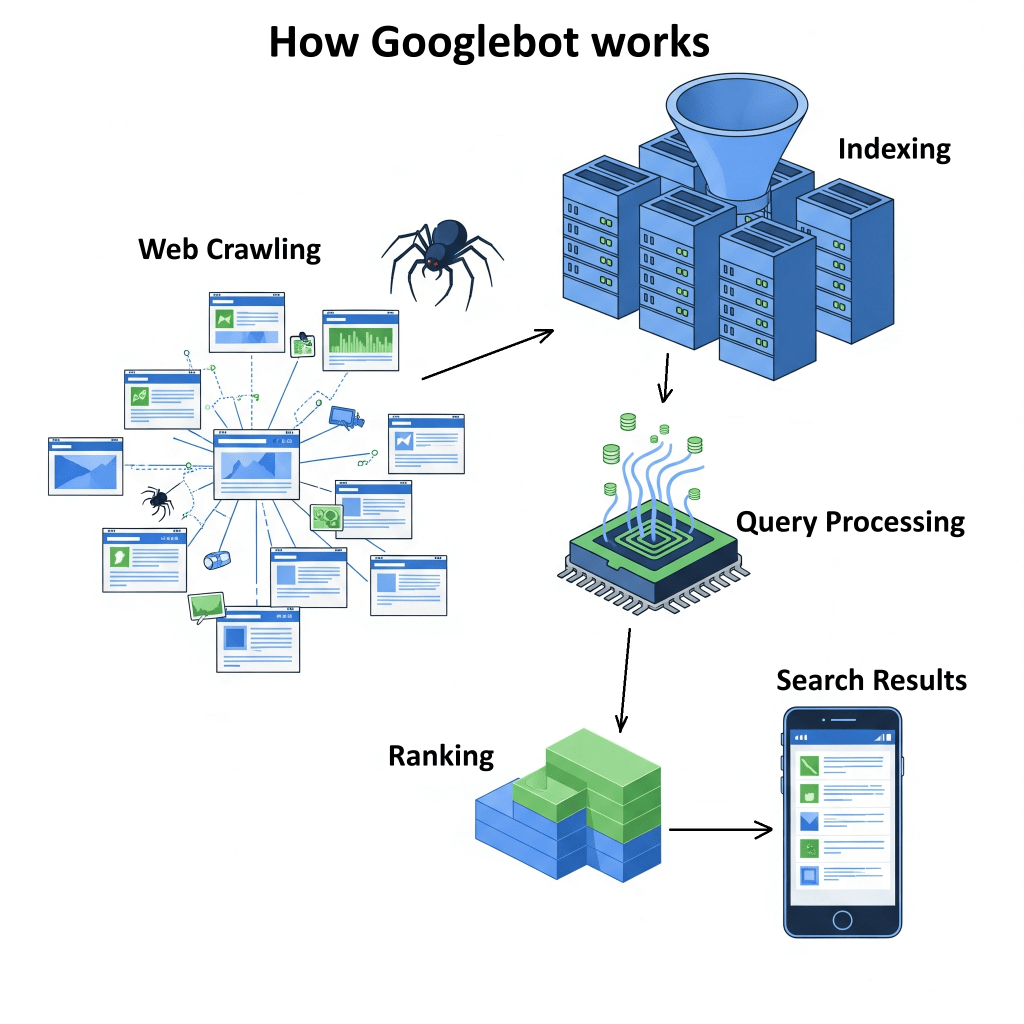
Googlebot uses a clever process to decide which sites to visit, how often to swing by, and how many pages to grab from each site.
It usually favours sites that get updated a lot and those that are considered authoritative.
How Links, Sitemaps, and robots.txt Work Together
Crawlers are designed to chase after “dofollow” links, which play a huge role in finding new content and sharing something known as “link juice”.
As a webmaster, you can help Googlebot find your content quicker by submitting sitemaps into the Search Engine Console.
By acting as a guide that maps out your website’s structure, sitemaps make it easier for the crawlers to do their thing.
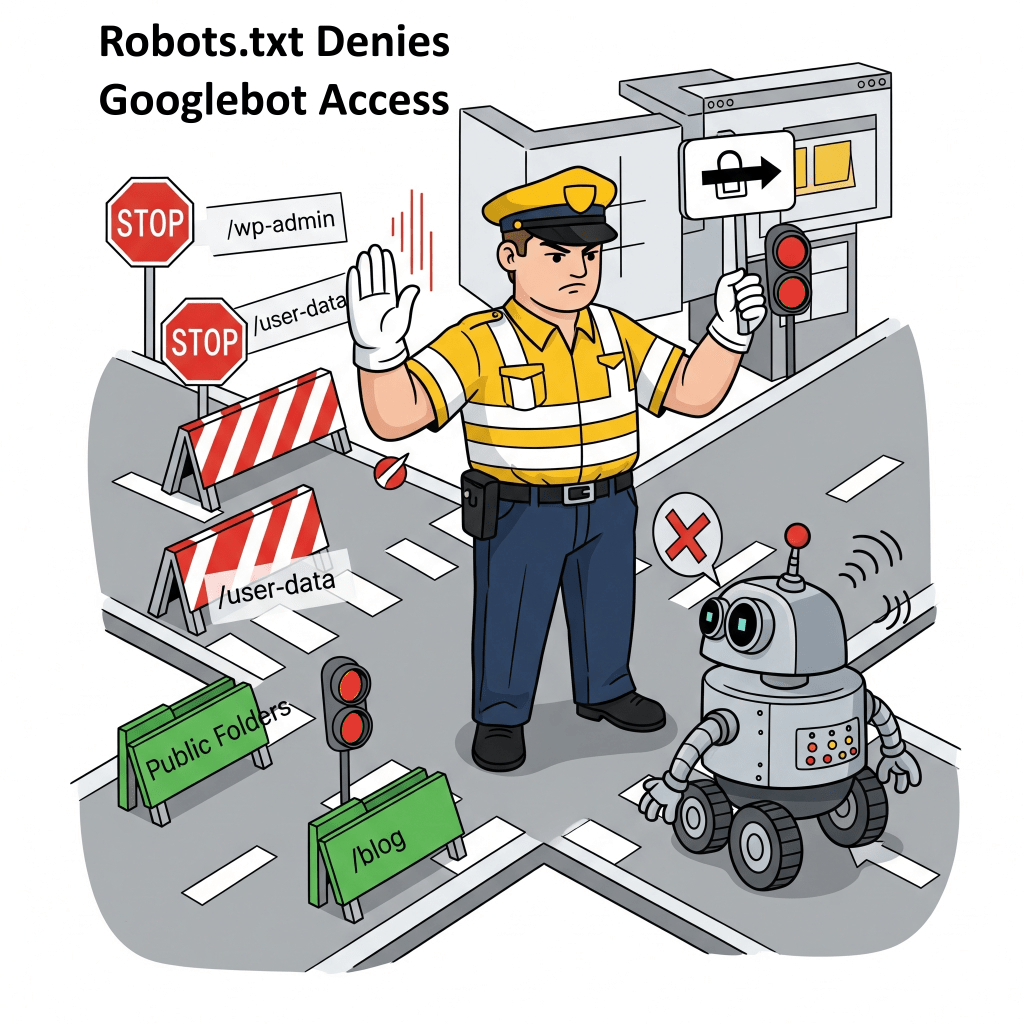
On the flip side, if you don’t want Googlebot snooping around your website, you can use robots.txt files, to keep things under wraps.
A robots.txt file is like a traffic cop for your website, letting owners say, “Hey Googlebot, you can’t check out these files or pages”.
Google has made some fire upgrades to how it crawls the web, especially when it comes to rendering web pages.
During a crawl, Google triggers a recent version of Chrome and runs any JavaScript it stumbles upon.
It does this because a lot of modern websites use JavaScript to load content on the fly and without the ability to load Javascript, Googlebot might miss out on some of the page’s features.
In other words, it won’t really get the full picture of how relevant or good a page is, and not index that page.
Also, Googlebot has to be careful not to request too much from websites. If it does, it might bog down servers.
To prevent this, it tunes how fast it crawls based on how the site is responding…
For example, if it runs into HTTP 500 errors (those pesky server issues), it gets the hint to take it easy with the requests.
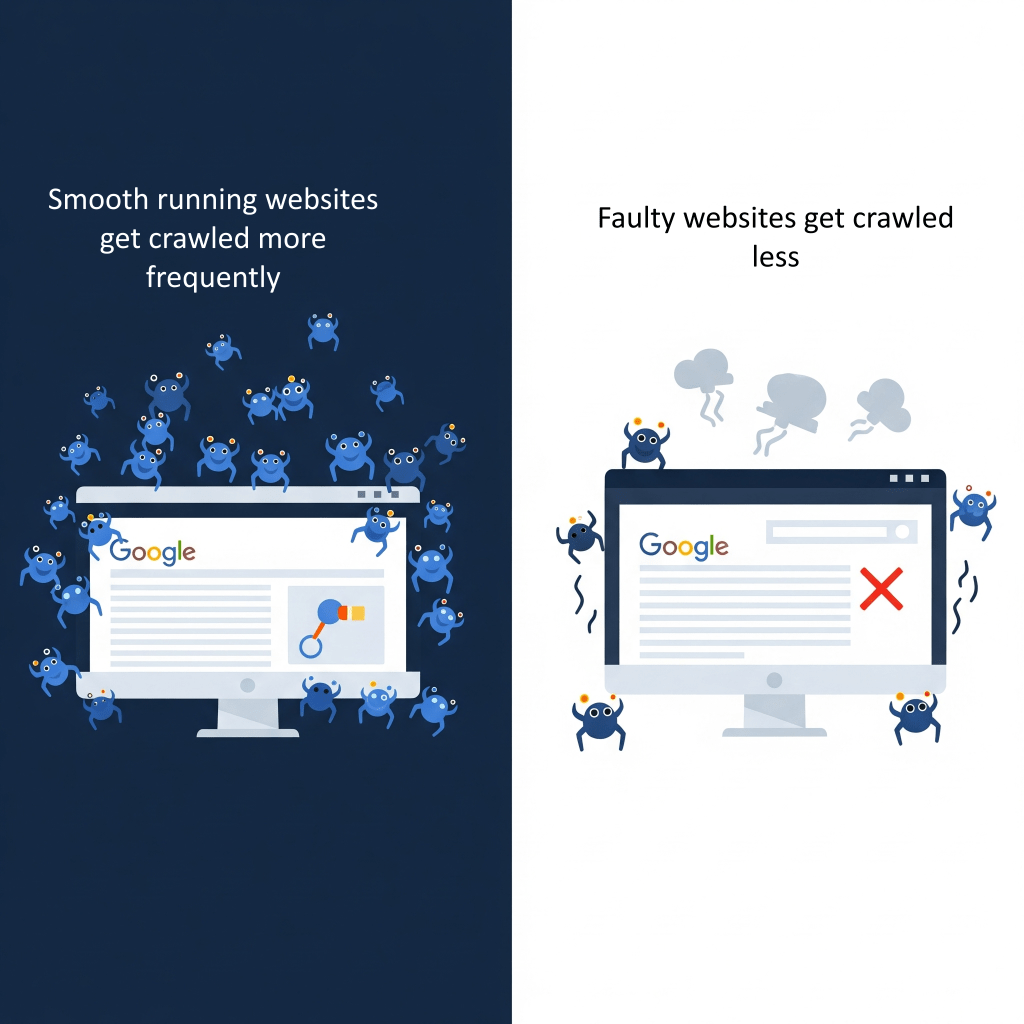
Plus, crawlers have something called a “crawl budget,” which is like a cap on how many pages they’ll check out and index on a site during a certain time frame.
Googlebot really has to manage its “crawl budget” carefully, so as not to crash sites, that are on the edge of breaking down.
It’s tries to find that sweet spot between grabbing all the data it needs and keeping the website running smoothly.
A website that runs smoothly, with few server hiccups and quick loading times, is more likely to get a bigger “budget,”
In other words, well optimized websites, get crawled more often and more deeply!
On the flip side, a site that’s not pulling its weight might see its “budget” drop…
..leading to updates happening less often in Google’s index…
..leading to stifled visibility in search results…
2. Indexing
After Google finishes crawling, it jumps into figuring out and sorting out the massive amount of info it finds on the web.
An index is basically a giant database spread over tons of computers and is optimized to give quick answers to search queries.
By diving deep into the content, Googlebot can skim through the text, picking out important details like <title> tags and alt text for images, and even looking at the images and videos.
For images, Googlebot grabs the image’s URL, the text nearby, its alt tags, and some other vital details.
What Is Canonicalization?
A big part of how Google indexes pages is dealing with duplicate content.
Basically, Google looks at pages on the web that have similar information and groups them together, which they call clusters.
From that group, they pick one page to be the “canonical” version, meaning it’s the one they think represents the best.
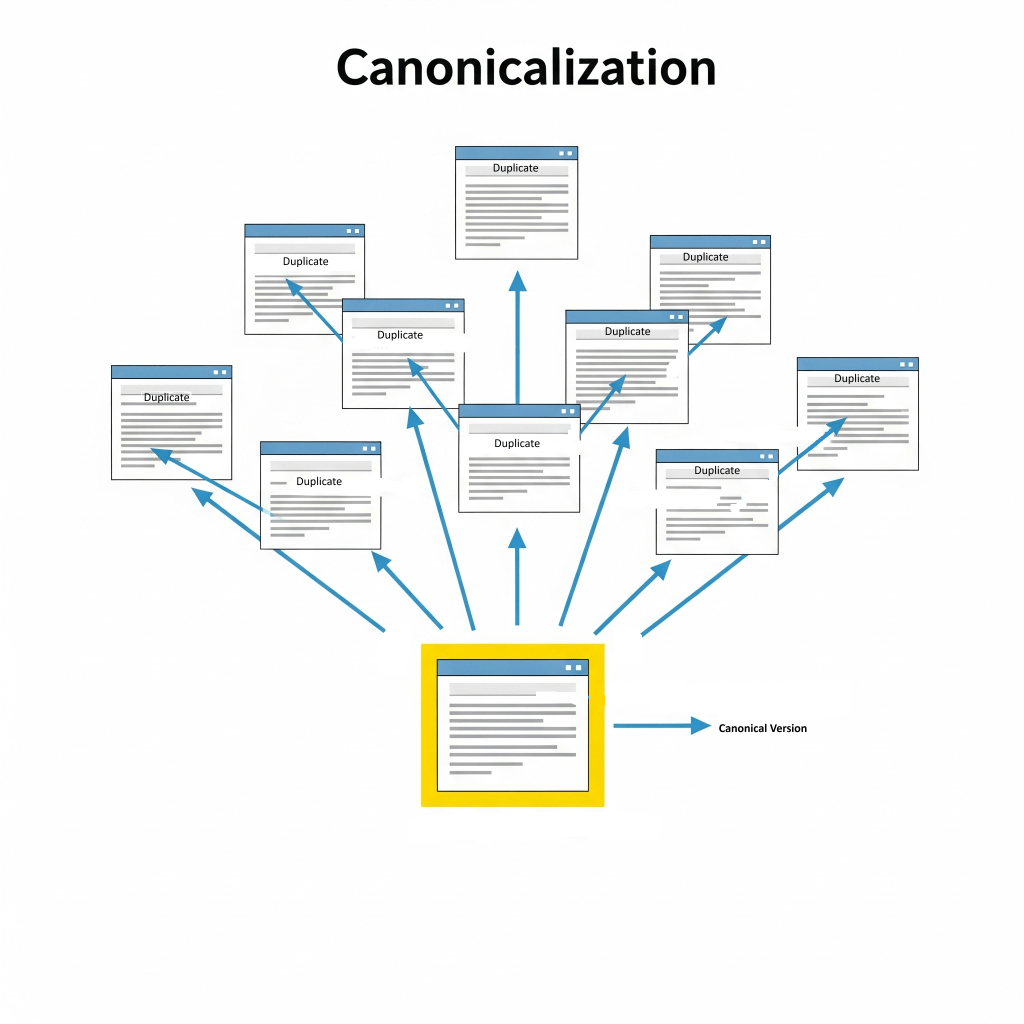
This helps avoid those annoying situations where you see the same or very similar content showing up over and over in search results.
The information about each canonical page and its cluster gets stored in Google’s index.
Google’s setup for this includes:
- Colossus for file storage
- NoSQL databases like Bigtable for compressing and storing data efficiently
- MapReduce to handle big datasets in parallel
Note that, not every page Google checks ends up getting indexed; it really depends on how good the content and its metadata are.
What is Natural Language Processing (NLP)?
Indexing involves Natural Language Processing (NLP) to dig into the real meaning behind the content and really get the gist of things.
Think of it as the ability to understand that “car” and “automobile” are just different ways to say the same thing, spotting specific names (like knowing “Tesla” is a car brand, not just a scientist), and really getting the overall meaning of the text.
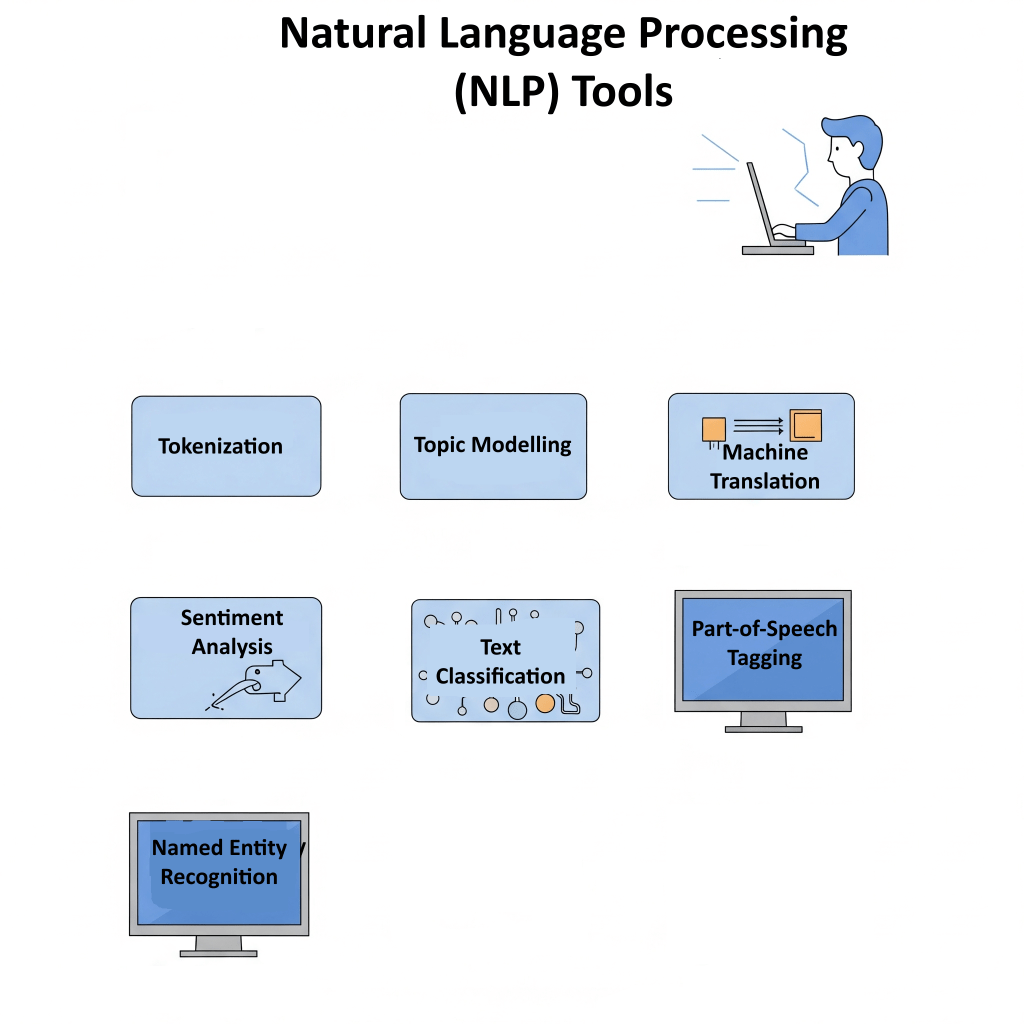
For example, when a webpage talks about “AI-powered search engines,” Google’s ability to understand semantics might also link it to things like “machine learning in search” or “smart search engines.”
As you can see, Google’s algorithm isn’t just about storing random words anymore…
it’s really trying to get what the meaning and connections are between ideas in the content.
This smarter understanding has a big impact on how pages get ranked these days.
When Google figures out what a page is really about and the context behind it, it can better connect it to what a user is searching for, even if the exact keywords aren’t in the query.
Table 1: Google Search Algorithm
| Stage | Purpose | Compontents |
|---|---|---|
| Crawling | Discovering and fetching new or updated web pages. | Googlebot, Headless Chrome (for JavaScript rendering), robots.txt, Sitemaps, Borg (cluster management) |
| Indexing | Processing, analyzing, and storing information about crawled pages in a vast database. | NLP models (for semantic understanding), Canonicalization, Colossus (distributed file system), Bigtable (NoSQL database), MapReduce (parallel processing) 1 |
| Query Processing | Interpreting user search intent, context, and relevance from the query. | BERT, RankBrain, MUM (AI models for NLP), Spelling correction, Synonym recognition, Entity identification 2 |
| Ranking | Ordering indexed pages based on relevance, quality, and authority to present the most helpful results. | PageRank, Neural Matching, MUM (AI models), E-A-T, Core Web Vitals, Backlinks, Content Quality, Freshness, User engagement signals 2 |
| Serving Results | Delivering fast and personalized search results to the user. | Google’s CDN (Content Delivery Network), Colossus (file system), Spanner (global distributed database), Load Balancing & Sharding, AI-based personalization 2 |
| Overall Architecture/Scalability | Managing billions of daily searches with low latency and high efficiency. | Data Centers (worldwide), Index Sharding, MapReduce, Borg, Kubernetes 2 |
3. Query Processing
When someone types in a search, Google’s algorithm kicks into gear, diving into detective mode to understand what they’re really looking for.
The system begins by interpreting the raw search query, automatically correcting spellings, such as transforming “gogle” into “Google,” to ensure the query is accurately understood.
It also extends to recognizing synonyms and related terms, understanding that “car” and “automobile” refer to the same concept.
Furthermore, Google’s algorithms are capable of entity recognition, which allows them to identify specific entities within a query, distinguishing, for example, “Tesla” as a company from “Tesla” as a scientist.
The Role of Advanced AI Models: BERT, RankBrain, and MUM in Understanding Search Queries
BERT, which stands for Bidirectional Encoder Representations from Transformers, is a neat AI tool that helps Google get how different word combinations can mean different things and show what people really want in their searches.
When it first dropped, BERT changed about 10% of searches, proving just how much it helps with understanding context.
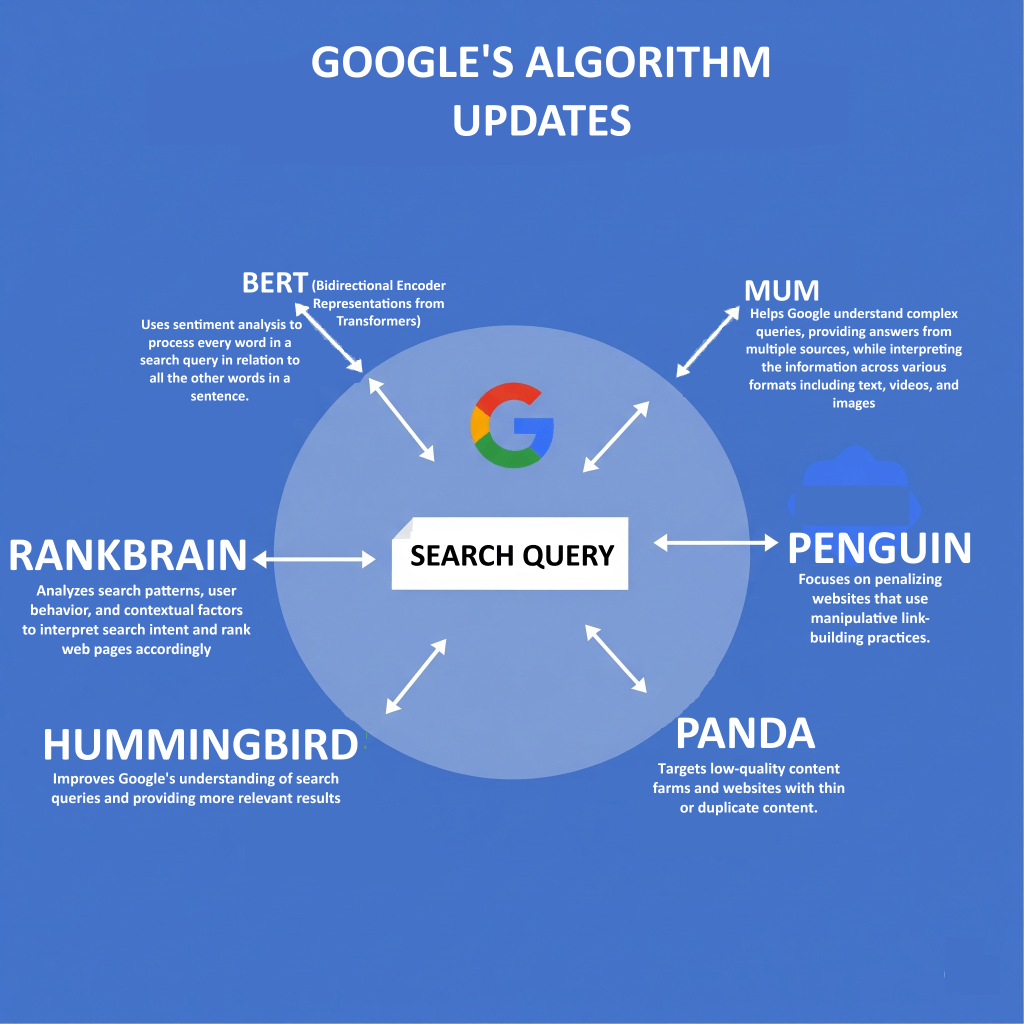
RankBrain is another AI system for Google that figures out how words are related, which means it can pull up relevant content even if doesn’t contain the exact words used in the search query.
Lately, we’ve got MUM (Multitask Unified Model) stepping into the spotlight, and it’s brilliant because it can handle all sorts of info—text, images, videos—and even different languages to give users better answers for those tricky questions.
Apart from AI Models, Google figures out what you’re looking for based on a bunch of contextual signals, such as keywords, Language localisation and current events.
The words you use are like little hints; for example, if you type in “cooking” or “pictures,” it gets that you’re after some recipes or images.
The language you use also matters—a search in French will mostly pull up French content.
Plus, they pay close attention to where you are….
..so, if you search for “pizza,” you’ll usually get options for places nearby that deliver.
And when it comes to hot topics, like sports scores or company earnings, the algorithm makes sure to show you the latest info out there.
The shift from just matching keywords to using fancy AI models like BERT, RankBrain, and MUM for processing search queries is a big game-changer for Google.
It shows that Google is getting better at picking up on the nuances and intent behind what people are really asking, instead of just taking words at face value.
This means that the old trick of cramming a bunch of keywords into your content to boost rankings isn’t going to cut it anymore.
Nowadays, you need to focus on creating content that’s genuinely useful and meaningful, really hitting those key points that users care about, because Google’s algorithms are now pretty good at figuring out what really matters.
4. Ranking
Once Google gets what the user is asking for, it dives into the ranking stage, sifting through its huge index to find and show the best, most useful and most relevant results, in a blink of an eye!
Relevancy comes from hundreds of factors, and how much each one matters can change based on what you’re searching for…
What Are Google’s Top Ranking Factors?
Google uses a bunch of smart signals to figure out what order to show search results in:
1.) Content Quality
The algorithm puts content that are helpful first above all!
It looks for signals that show Expertise, Authoritativeness, and Trustworthiness (E-A-T).
E-A-T is really important for “Your Money or Your Life” (YMYL) content, which covers touchy subjects like health or money matters.
On the flip side, if content is low-quality, it usually means there wasn’t much effort put in, it’s not original, or it lacks skill—think inaccuracies or just plain “filler” content.
While Expertise, Authoritativeness, and Trustworthiness (E-A-T) are usually talked about as tips for folks rating content, research shows they actually have a big impact on Google’s algorithms.
The concept of E-A-T is aided by human evaluators who provide data that feeds into Google’s machine-learning ranking systems to make them better.
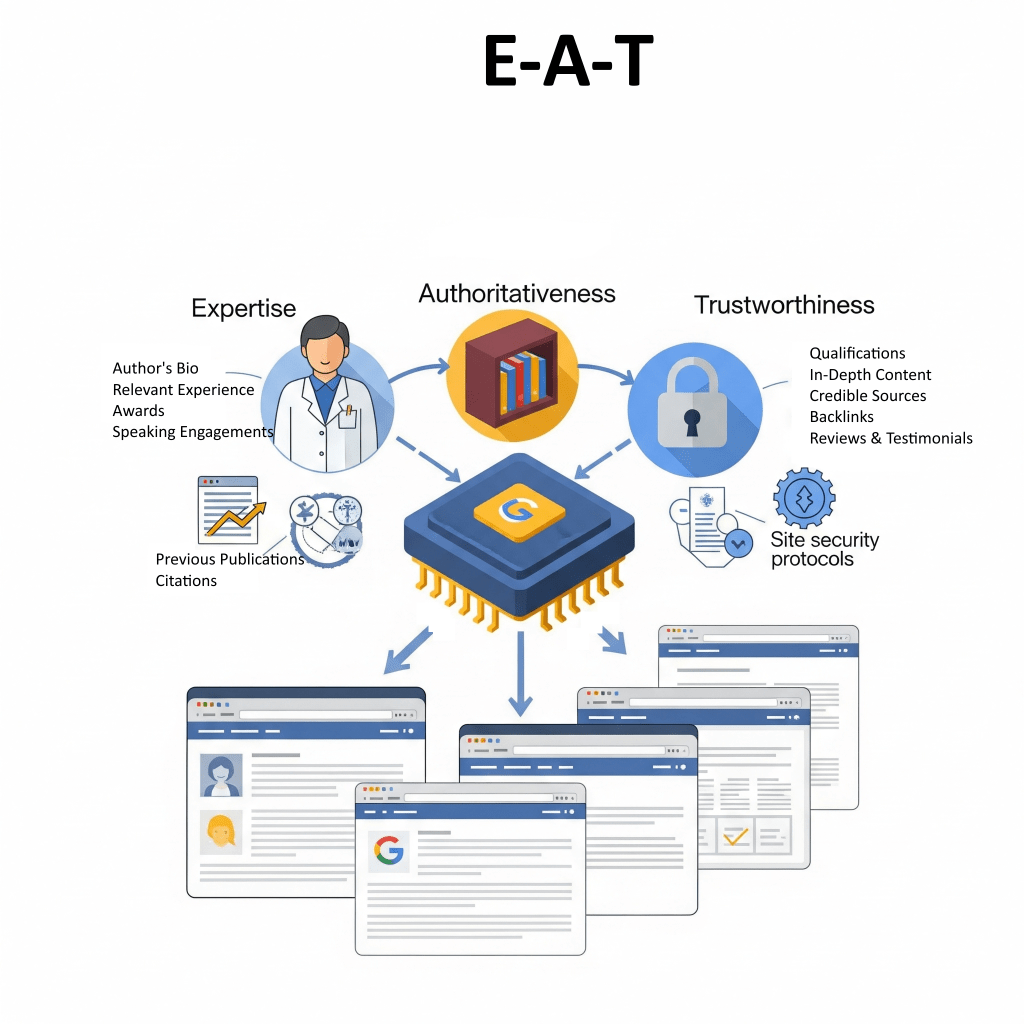
If you’re creating content, keep E-A-T in mind as a key idea for everything you post, since it has a direct impact on how Google’s AI figures out what high-quality info to highlight.
Having top-notch backlinks from trustworthy sources makes all the difference when it comes to showing that you’re credible and trustworthy.
2.) Relevance
When it comes to search results, it really matters how well the content actually matches what someone is looking for.
It’s not just about matching keywords anymore…
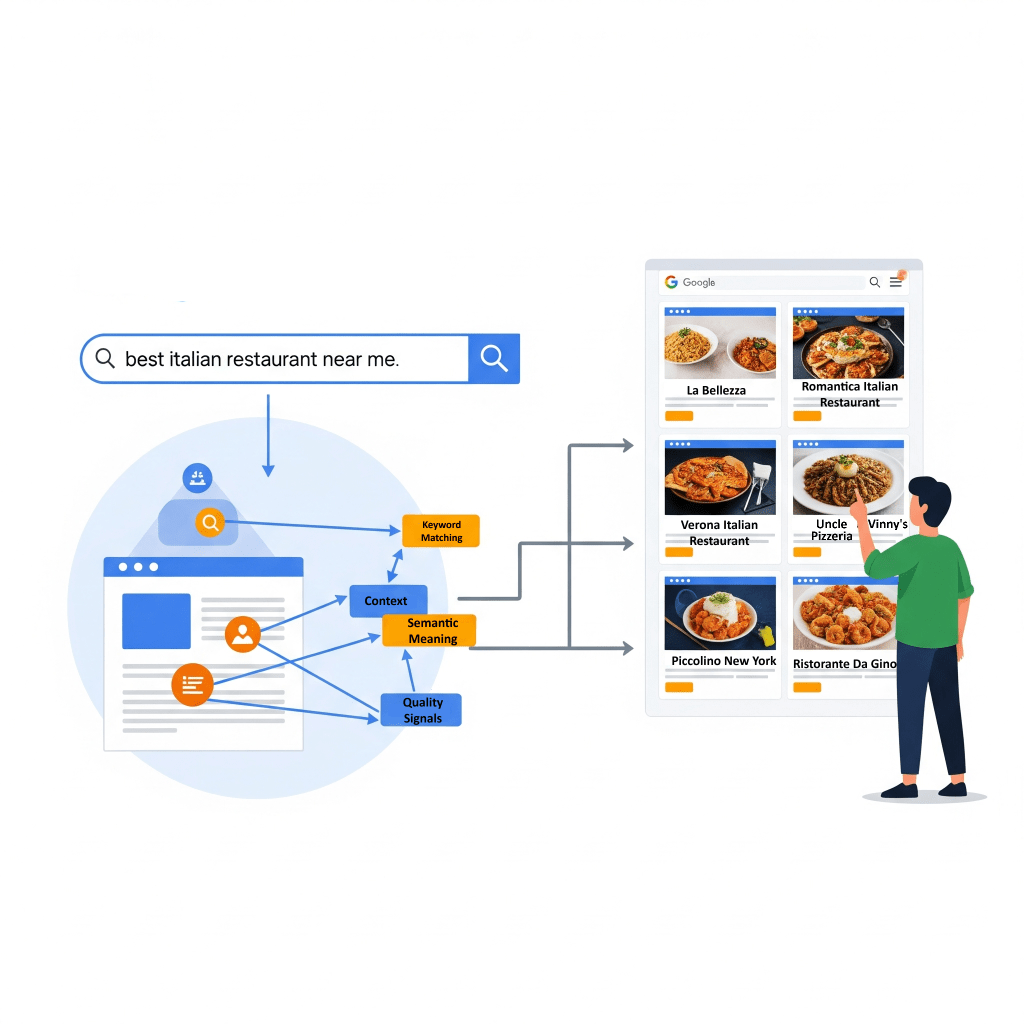
Now, the algorithms check if a page has all sorts of relevant materials besides the keywords..
For example, if you search for “dogs,” it might show cute dog pics, videos, or lists of breeds rather than pages that just have the word “dogs” repeated everywhere.
The importance of getting what people really want to know—whether it’s about finding a place,(commercial intent) learning something new, (Informational intent) or making a purchase (Transactional intent)—can’t be stressed enough.
Keeping things up to date is also important, especially when it comes to stuff like current events. Google tends to give a boost to fresh content so that users get the latest scoop.
3.) Page Experience
This part is all about keeping users happy!
It looks at things like how friendly your site is on mobile, how fast it loads, and whether it uses HTTPS for security.
Key metrics like:
- Largest Contentful Paint (LCP) for how quickly things pop up,
- Interaction To Next Paint (INP) for how interactive the site feels,
- Cumulative Layout Shift (CLS) for keeping things looking nice and steady are super important.
These help measure how real users experience your site and fit right in with what Google looks at for rankings.
4.) Engagement Metrics
Things like your click-through rate (CTR), bounce rate, and how long folks hang out on your page can totally impact your rankings as well.
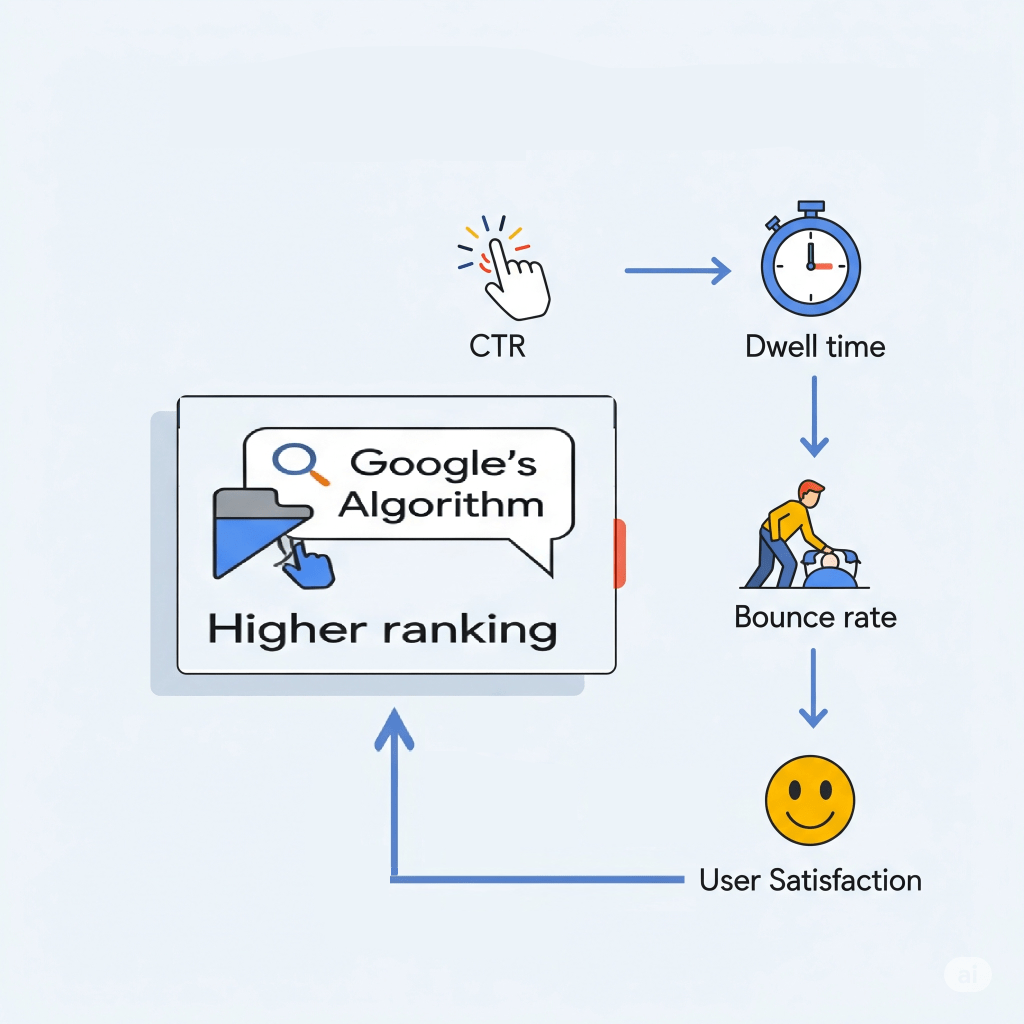
When Google collects and analyzes all that user interaction data (keeping it anonymous, of course), it helps their smart systems get a better handle on what type of content really matters.
Page-Level Vs Site-Wide Ranking Signals
Google’s ranking systems usually works on a page-by-page basis, using a bunch of different signals to figure out where each page should land in the rankings.
But what if a website happens to have one good page, out of a hundred crappy ones?
This is where site-wide signals and classifications come into play… by helping Google get a better grip on the site as a whole.
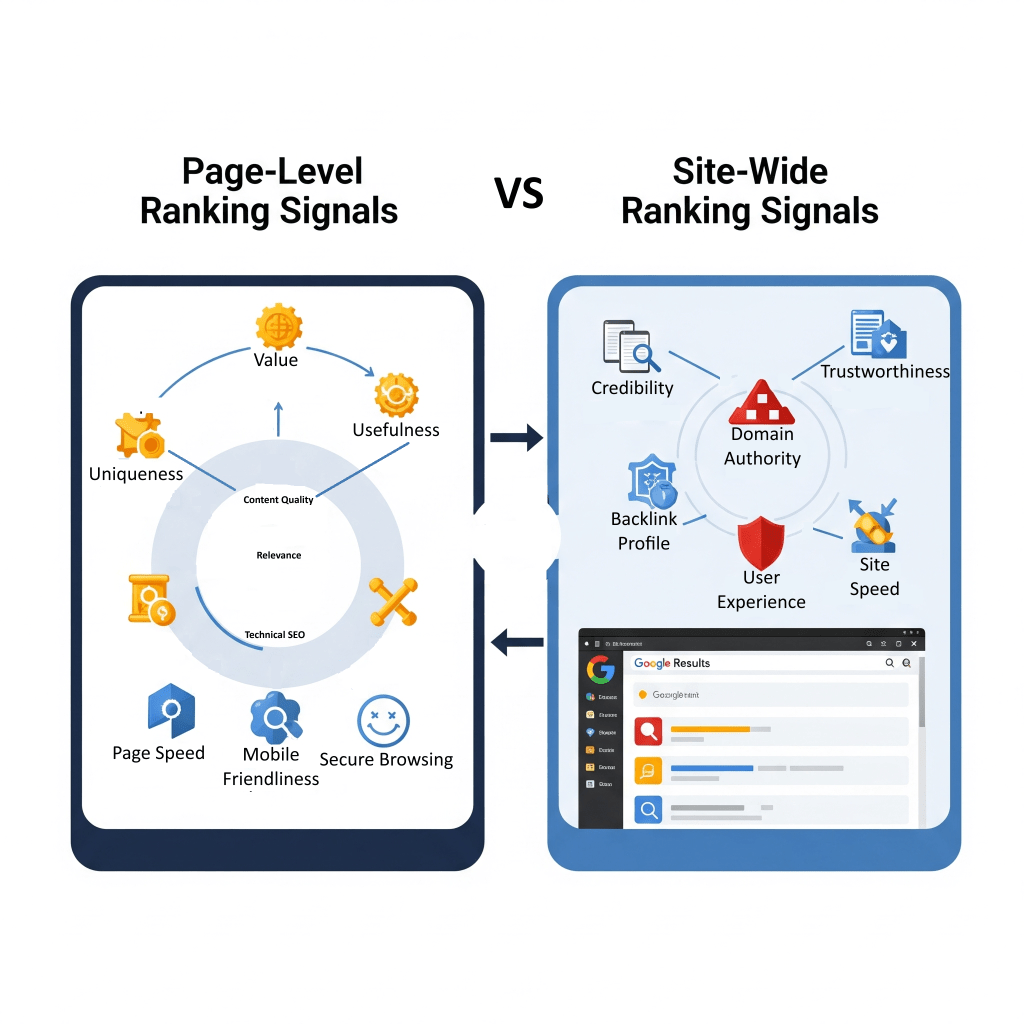
Google’s “helpful content system” can affect the rankings of an entire site, not just a single page, especially if the site is mostly churning out content that’s not really helpful but just aimed at tricking search engines.
Table 2: Key Google Ranking Factors and Their Impact
| Ranking Factor | Description | Impact |
|---|---|---|
| Content Quality (E-A-T) | Content demonstrating Expertise, Authoritativeness, and Trustworthiness (E-A-T), especially for YMYL topics. | Prioritizes helpful, reliable content; feedback from human raters refines algorithms. Low-quality content is demoted. |
| Relevance (Search Intent, Passage Ranking) | How well content matches the user’s query, considering synonyms, entities, and deeper intent. | Ensures results directly address user needs, even without exact keyword matches. Passage ranking identifies specific relevant sections. |
| Authority (Backlinks, PageRank) | The credibility and importance of a page/site, often indicated by high-quality external links. | High-quality backlinks from reputable sources signal trustworthiness and boost rankings. PageRank is a foundational system for link analysis. |
| Freshness | How recently the content was published or updated. | Crucial for time-sensitive queries (e.g., news, current events), ensuring users receive the most up-to-date information. |
| Page Experience (Core Web Vitals, Mobile-friendliness, HTTPS) | User experience metrics related to loading performance, interactivity, visual stability, and site security. | Faster, more stable, and mobile-friendly pages are favored, contributing to higher rankings and positive user experience. |
| Engagement Metrics | User interactions with search results and pages (e.g., CTR, bounce rate, time on page). | Aggregated, anonymized data from user interactions helps machine-learned systems estimate relevance and refine rankings. |
5. Search Results
The last stage of Google’s algorithm is all about getting search results to you extra fast, mixing things up and making it pretty personalized just for you.
Once the ranking process wraps up, the results are snagged from Google’s speedy data centers around the world and shown to you in just a blink.
This mind-blowing speed comes thanks to an impressive infrastructure that handles quick data access and delivery.
Key players include:
- Google’s Content Delivery Network (CDN), which stores those results all over the globe to keep things fast;
- Colossus, Google’s nifty distributed file system, makes sure info is pulled up quickly;
- plus fancy Load Balancing & Sharding tricks that make handling requests smooth.
- And let’s not forget Spanner, a global database in the mix, helping everything run like a well-oiled machine!
Google Algorithm Updates
Google’s algorithm isn’t stagnant; it’s always changing and adjusting to how the web works, constantly fighting against junk content and shady tactics.
Google often rolls out some pretty big changes to its search algorithms and systems, known as “core updates.”
These updates get announced on Google’s Search ranking updates page and are meant to keep the search engine serving up helpful and trustworthy results.
In 2022, for instance, Google made a whopping 4,725 tweaks to search, which breaks down to about 13 updates every single day, covering everything from ranking system tweaks to user interface changes, and a whole lot more.
Updates come in all sorts of shapes and sizes, and they include:
- Core Updates: These are major changes that shake up how ranking systems see content on the web. This often means that rankings can go up and down. They aren’t aimed at any particular sites; instead, they change the way we look at overall content quality.
- (Product) Reviews Updates: So, these updates started off just for product reviews, but now they cover all sorts of reviews like services, businesses, and destinations. The goal? To give a shout-out to those awesome, detailed, and original review contributions!
- Helpful Content Updates: These updates, which are now available everywhere, boost Google’s ability to figure out content that actually helps people. They focus on “people-first” content that really meets what users are looking for, while giving less love to stuff made just to rank higher in search results.
- Page Experience Updates: So, these updates are all about mixing in stuff like Core Web Vitals (you know, LCP, FID/INP, CLS), keeping things safe with HTTPS, and making sure everything looks good on mobile when it comes to rankings.
- Search Spam Updates: These updates are all about cracking down on sneaky tactics, making sure Google gets better at spotting different types of spam in all kinds of languages.
Major historical updates show how this evolution has unfolded over time:
| Update Name | Year | Description |
|---|---|---|
| Panda | 2011 | Cracked down on crappy content and spammy tactics, hitting sites with weak content or ones just trying to game the system. |
| Penguin | 2012 | This bad boy was made to tackle link spam, and by 2016, it became a part of the core ranking systems. Super handy! |
| Hummingbird | 2013 | A game-changer for Google! It helped the search engine better understand what people really meant with their questions instead of just looking at single words. |
| RankBrain | 2015 | A sleek AI tool that helps Google get a grip on how words are connected to ideas, making search results way more relevant, even if you don’t nail the exact keywords. |
| BERT | 2019 | Really upped Google’s game in figuring out what people meant with their searches, especially with casual chats or tricky queries, affecting about 10% of searches. |
| MUM | 2021 | An awesome AI system that can handle info in all sorts of formats and languages, showing Google is getting better at understanding content mix. |
| Helpful Content Update | 2022 onwards | This update has been getting a makeover to highlight content that’s actually useful and original while targeting sites just trying to game the search rankings. |
