
Google’s AI Overviews are rapidly transforming the search landscape, and a fascinating aspect of this shift is their ability to understand implicit user intent, particularly for recipe-related queries.
Gone are the days when you needed to explicitly type “chicken tikka masala recipe” to get cooking instructions. Now, AI Overviews can intelligently surface recipes even when the word “recipe” isn’t anywhere in your search query.
The Power of Implicit Understanding
This shift highlights the growing sophistication of Google’s AI, powered by advanced natural language processing and machine learning.
When you search for something like “chicken cordon bleu” or “healthy dinner ideas,” Google’s AI doesn’t just look for keywords; it analyzes the query’s context, common user behavior associated with such phrases, and the entities mentioned.
It understands that someone searching for a dish name is highly likely looking for a recipe, even if they don’t explicitly state it.
For example, a search for:
- “chicken cordon bleu”
- “easy weeknight pasta”
- “vegetarian chili”
can now trigger an AI Overview that provides a summarized recipe, including ingredients and key steps, directly at the top of the search results.
This is a significant departure from traditional search results, which might have previously shown a list of articles or rich snippets that still required a click-through to find the actual recipe.
How it Works Behind the Scenes
Google’s AI models are trained on vast amounts of data, allowing them to recognize patterns that are suggestive of recipe intent even in less direct phrases.
This involves:
- Entity Recognition: Identifying “chicken tikka masala” as a specific dish.
- Contextual Clues: Understanding that “chicken tikka masala” often leads to a desire for cooking instructions.
- User Behavior Data: Leveraging historical data on what users typically do after searching for similar queries. If a user usually searches for cooking instructions after
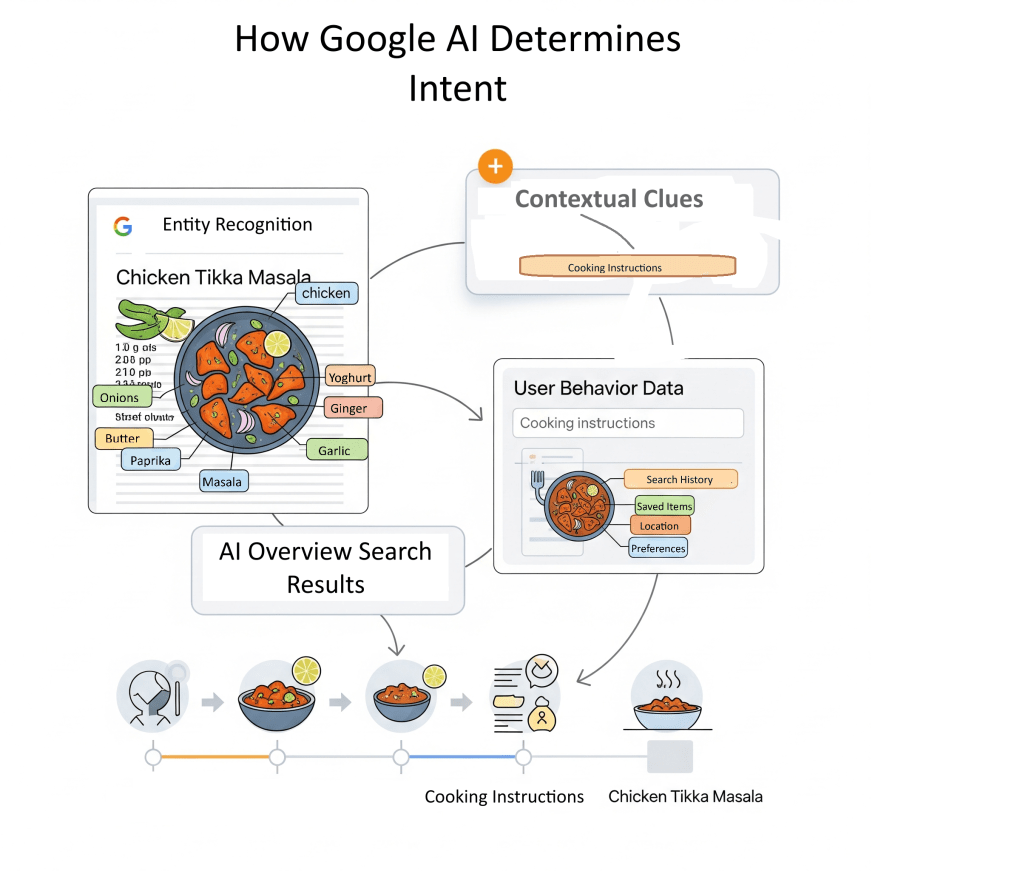
The “query fan-out” technique, described by Google, enables AI to perform several related searches across different topics and data sources, ensuring a complete response that meets user needs.
Why I Couldn’t Replicate AI Overviews Showing Recipes (Yet!)
I wanted to see this in action for myself, so I jumped into Google to try and replicate it.
I ran a series of searches for various dishes and food-related queries that, in theory, should trigger these AI-powered recipe overviews. My queries included phrases like:
- “chicken cordon bleu”
- “easy weeknight pasta”
- “vegetarian chili”
- “fluffy pancakes”
- “homemade pizza dough”
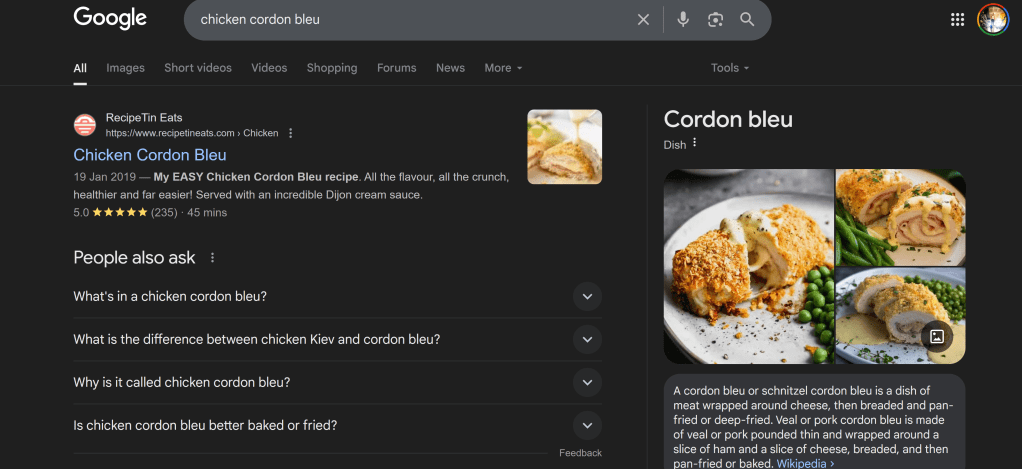
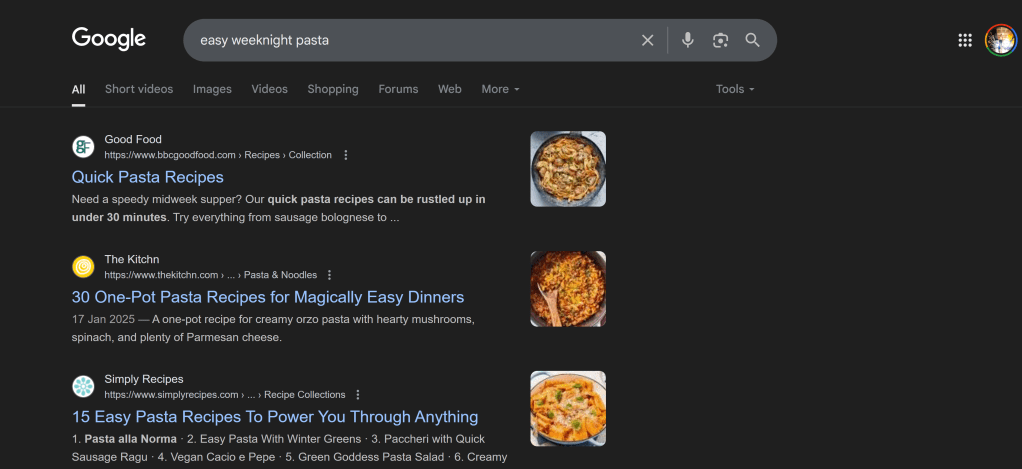
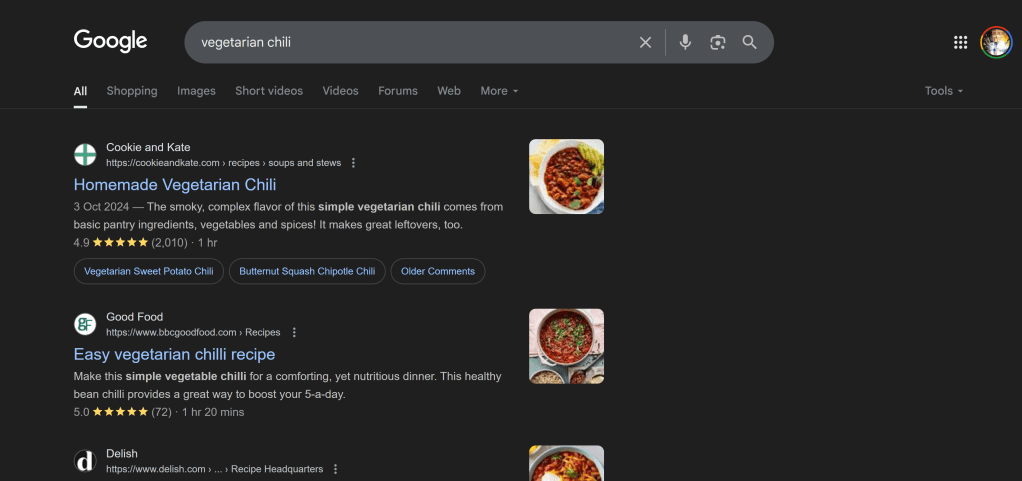
However, after numerous attempts across different devices and browsers, I wasn’t able to consistently replicate an AI Overview showing a recipe for queries that didn’t explicitly include the word “recipe” or similar cooking-related terms.
Instead, what I primarily observed were:
- Traditional search results: Links to recipe blogs, food websites, and cooking guides.
- Rich snippets: Occasionally, a recipe rich snippet would appear, showing ratings, cook times, and ingredients, but this is a standard SERP feature, not an AI Overview.
- Other AI Overview types: For broader informational queries, I sometimes saw AI Overviews summarizing general knowledge, but not specific recipes from implicit intent.
What Does This Mean?
My inability to replicate these results doesn’t mean Google isn’t doing it. Here are a few possibilities:
- Staged Rollout & Geographical Limitations: Google often rolls out new features gradually and to specific regions first. While the initial reports indicated wider availability, it’s possible the most advanced, implicit-intent recipe AI Overviews are still limited to certain users or locations. My location (Birmingham, UK) might not yet have the full rollout for this specific functionality.
- Dynamic AI Behavior: AI Overviews are constantly learning and adapting. Their appearance can be highly dynamic, influenced by real-time factors, query nuances, and even individual user history. What works one day might not work the next, or for different users.
- Specific Query Nuances: While I tried various queries, it’s possible the exact phrasing, or a very specific set of implicit signals, is required to trigger these particular AI Overviews.
The Takeaway for Users and Content Creators
Regardless of my replication challenges, the truth of the matter is: Google’s AI is evolving to understand user intent beyond simple keyword matching.
For users, this means a more efficient and direct search experience. They can get quick answers and a summarized recipe without needing to navigate through multiple websites.
This can be incredibly convenient for meal planning or quick cooking inspiration.
However, for recipe bloggers and content creators, this presents both challenges and opportunities:
- Potential for Reduced Clicks: If an AI Overview sufficiently answers a user’s query, some users may not click through to the original website, potentially impacting organic traffic. This effect is currently observed more on desktop searches than on mobile.
- Increased Visibility in AI Overviews: Conversely, if your content is comprehensive, authoritative, and well-structured, it increases your chances of being featured in these AI-generated summaries. Being cited as a source in an AI Overview can still drive brand awareness and, in some cases, clicks from users who want to explore further.
Adapting Your SEO Strategy
To thrive in this evolving search landscape, recipe content creators should consider:
- Focus on Comprehensive and Authoritative Content: Ensure your recipes are detailed, accurate, and provide real value. Google’s AI favors credible and reliable sources.
- Optimize for Implicit Intent: Think beyond exact keywords. Consider what related phrases or dish names users might search for when looking for a recipe.
- Structure Your Content Clearly: Use clear headings, bullet points, and structured data (like Recipe schema) to make it easier for AI to extract and summarize your content.
- Emphasize E-E-A-T (Experience, Expertise, Authoritativeness, Trustworthiness): Build your site’s reputation by demonstrating expertise in your niche, citing reputable sources, and providing first-hand experience.
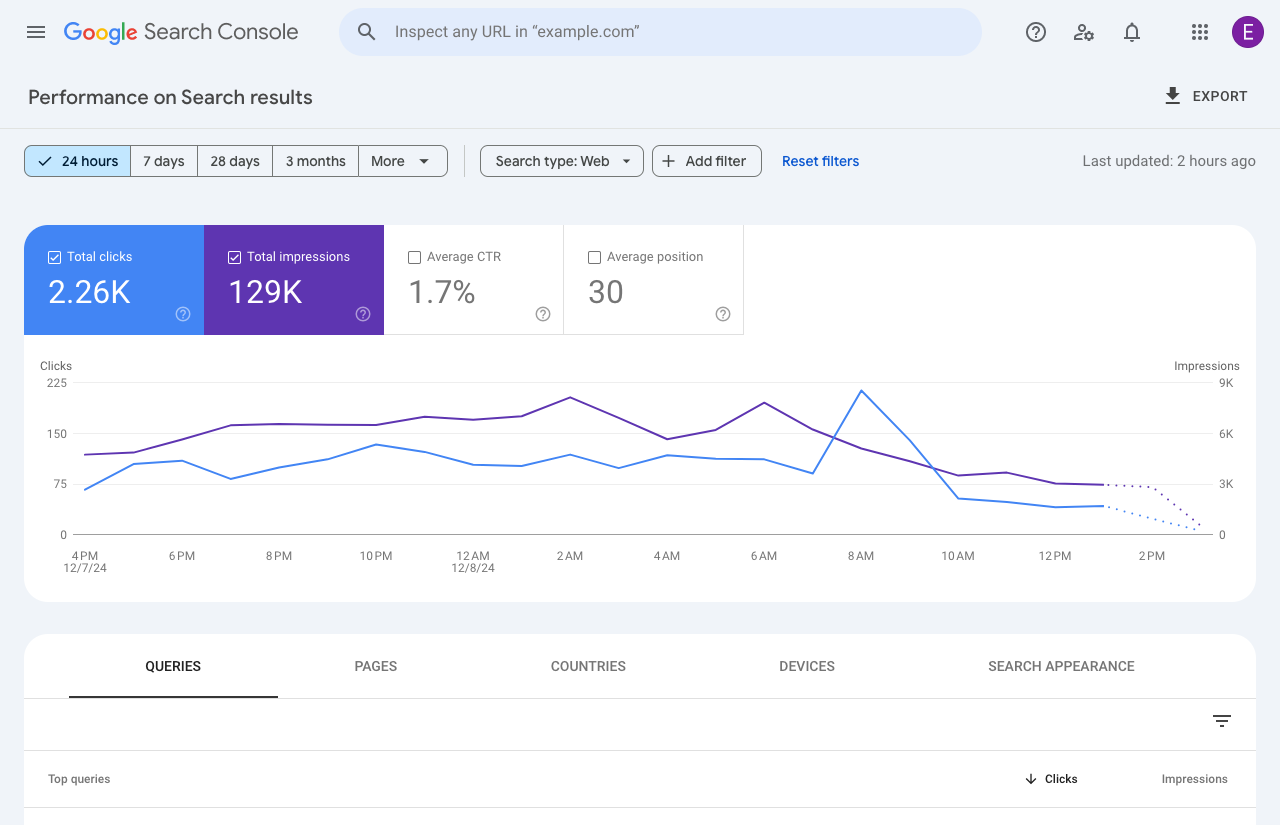
- Monitor Performance: While direct tracking for AI Overviews in Google Search Console is still evolving, keep an eye on your overall organic traffic and adapt your strategy as needed.
By understanding how these overviews work and adapting your content strategy accordingly, you can continue to reach your audience and provide valuable information in this new era of search.
My personal experiment has only reinforced the idea that SEO in the age of AI requires a deep understanding of user needs and a commitment to creating highly valuable, well-structured content.
We might not always see the exact AI Overview we expect, but by optimizing for genuine intent, we’re building a future-proof strategy.
Have you been able to replicate AI Overviews showing recipes from implicit queries? Share your experiences in the comments below!